Plan the night
Make tomorrow visible before you put the phone down.
Connect bedtime intent, the next alarm, and your morning plan. Check whether the setup is ready, degraded, waiting for access, or needs attention.
 Ringly
Ringly for iPhoneLive on the App Store
Ringly prepares the night, checks alarm readiness, and adds optional proof at wake-up—without turning your morning into noise.
One connected wake cycle
Ringly keeps those moments connected instead of treating the alarm as one isolated sound.


Plan the night
Connect bedtime intent, the next alarm, and your morning plan. Check whether the setup is ready, degraded, waiting for access, or needs attention.
Wake with intent
Choose mental, movement, or place-based missions per alarm. Pressure stays optional and changes with the kind of morning ahead.
Review the morning
Wake Report and optional sleep context keep the useful morning details together, privately and without public scoring.
Calm by default
Start with a clear alarm. Add planning, readiness, or a deliberate dismissal step only when the routine benefits from it.
See whether the setup is ready, waiting for access, degraded, or needs attention.
Explore readinessBegin with the kind of morning ahead instead of rebuilding every decision from zero.
Mental, movement, and place-based mission groups add friction without forcing the same routine every day.
See every missionKeep bedtime intent, the next alarm, reminders, and morning review close enough to work as one routine.
Explore Sleep PlanInside Ringly
Alarm home
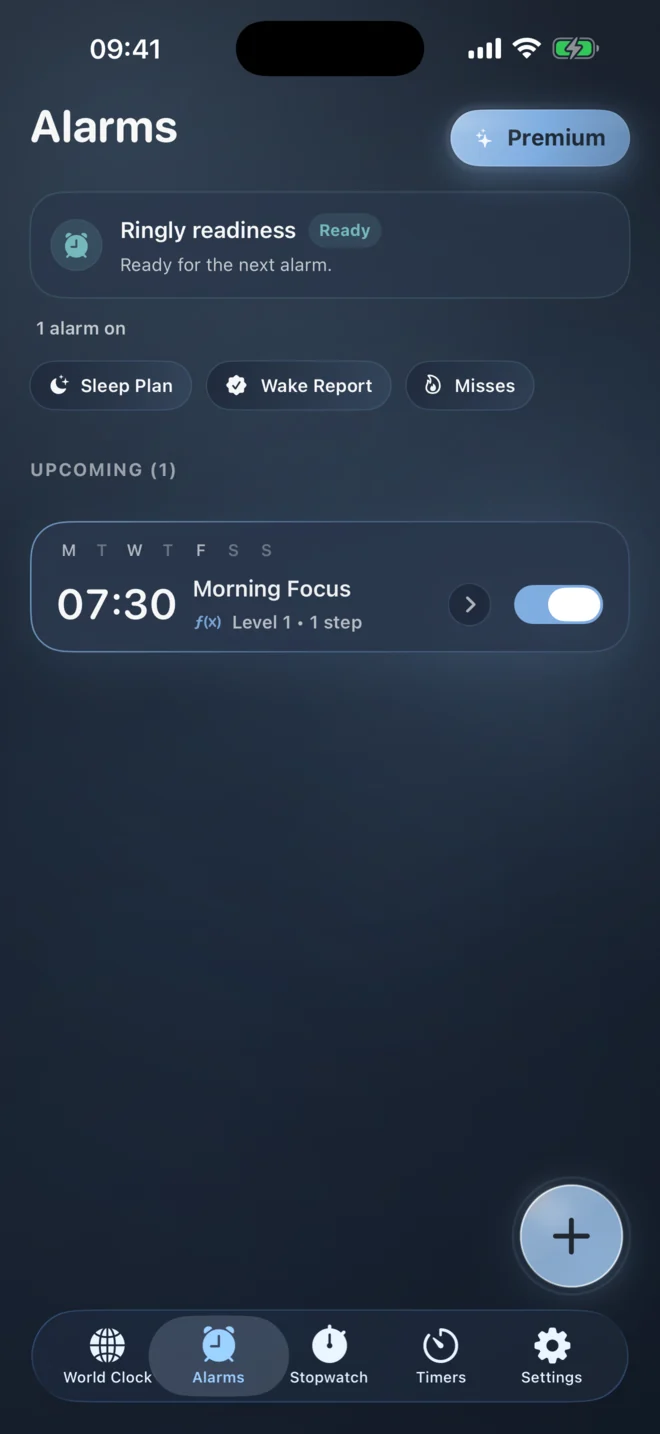
Readiness, Sleep Plan, Wake Report, and the next alarm stay visible without competing for attention.
Alarm editor
Schedule, sound, snooze, and Wake Mission pressure live in one deliberate setup flow.

Wake Mission
The mission takes over the screen when focus matters, then gets out of the way when it is complete.
Sleep Plan
Bedtime intent and tomorrow’s alarm sit in the same visual rhythm instead of separate tools.
Wake Report
Review the morning in a calm summary without public feeds, streak pressure, or identity-linked analytics.
Wake Missions
Attach a mission only when a morning needs a deliberate step between hearing the alarm and dismissing it.
Privacy by restraint
Ringly avoids ads and third-party tracking SDKs. Product analytics are intentionally narrow and exclude raw sleep audio, exact alarm times, free-text alarm names, camera images, and scan contents.
Clear boundaries
An alarm app belongs in high-stakes moments. The product limits should be just as visible as the features.
No. Ringly provides alarm, readiness, and optional mission tools, but no software can guarantee a wake-up outcome in every device, sleep, or environmental condition.
No. Missions are optional. You can use a core alarm and add a mission only for mornings where a deliberate proof step is useful.
Some features need specific iOS access. A camera-based mission needs camera access, for example. Standard alarms do not require every mission permission, and iOS permissions can be changed later in Settings.
Ringly is created and maintained in Switzerland. App Store distribution, iCloud, payment, and hosting infrastructure remain operated by their respective providers.
No. Sleep Lab is presented as a wellness summary and should not be used as a medical diagnosis or substitute for professional care.
Available for iPhone
Choose the alarm, add only the pressure you need, and check readiness before the phone goes down.